The Security Threat Landscape: Why Your Binance Account Needs More Than a Password
Cryptocurrency exchanges face constant security threats. Hackers use sophisticated methods to steal users’ funds. A strong password provides basic protection. However, a password alone fails to stop determined attackers. Phishing attacks trick users into revealing their login details. Keyloggers record keystrokes to capture passwords. Data breaches expose user credentials across multiple platforms. If you use the same password on different sites, a breach on one site puts your Binance account at risk.
Real cases highlight the danger of relying only on passwords. In May 2019, Binance experienced a large-scale security breach. Hackers stole over $40 million worth of Bitcoin. The attackers obtained a large number of user API keys and 2FA codes. They used phishing and viruses to execute well-orchestrated actions. Binance covered the losses using its secure asset fund. However, this incident proves that even major exchanges face significant threats.
Another major threat involves SIM swap attacks. Hackers trick mobile carriers into transferring a victim’s phone number to a new SIM card. Once the hacker controls the phone number, they receive all SMS messages. This includes SMS based two factor authentication codes. In 2021, a Reddit user reported losing crypto funds after a SIM swap attack. The hacker bypassed SMS 2FA and drained the account. SMS based 2FA offers weak protection against this specific attack method.
These incidents show why users need stronger security measures. Relying on SMS codes or passwords leaves accounts vulnerable. Users must adopt application-based authentication methods. This approach removes the risk of SIM swap attacks. It also adds a critical layer of security. Hackers need physical access to your device to generate the login code. This requirement stops remote attacks effectively. Securing your digital assets requires proactive measures. You must protect your account before an attack occurs.
What Google Authenticator Is and How Two-Factor Authentication Works
Two-factor authentication adds a second layer of security to your account. It requires two different forms of identification before granting access. The first factor is something you know, like your password. The second factor is something you have, like your smartphone. Google Authenticator provides this second factor. It is a software-based authenticator application developed by Google. The app generates time-based one-time passwords.
When you log in, you enter your password first. Then, the system asks for the six digit code from the app. Google Authenticator generates a new code every thirty seconds. This code works only once. Even if a hacker steals your password, they cannot access your account without the current code. The app works offline. It does not require an internet connection or cellular service to generate codes. This offline capability makes it highly secure against network-based attacks.
Using Google Authenticator offers significant advantages over SMS based methods. SMS messages travel across cellular networks. Hackers can intercept these messages. They can also use SIM swap techniques to steal your phone number. Google Authenticator stores the secret key locally on your device. The codes never travel across external networks. This local generation process eliminates the risk of interception.
Many users choose this method when they complete their 바이낸스 가입 process. Setting up this security feature early ensures maximum protection from the start. The application supports multiple accounts. You can secure your email, social media, and other financial accounts using the same app. This centralized approach simplifies security management. It provides a consistent and reliable method for protecting your digital identity. The technology relies on a shared secret key. Binance and the app both know this key. They use the same algorithm to generate the matching codes. This synchronization ensures accurate and secure authentication.
Step-by-Step: Setting Up Google Authenticator on Your Binance Account
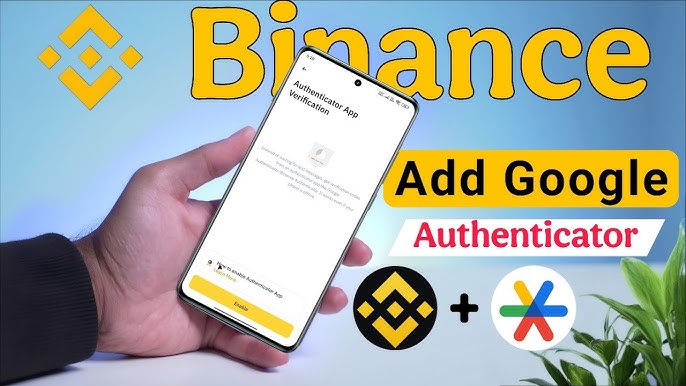
Setting up Google Authenticator requires a few simple steps. First, you need to download the application. You can find Google Authenticator in the Apple App Store or the Google Play Store. Install the app on your smartphone. Next, log in to your Binance account using a web browser or the mobile app. Navigate to the security settings section. Look for the two-factor authentication options. Select the option to enable an authenticator app.
Binance will display a QR code on the screen. It will also show a backup key consisting of letters and numbers. Open the Google Authenticator app on your phone. Tap the plus icon to add a new account. Choose the option to scan a QR code. Point your phone camera at the QR code on the Binance screen. The app will scan the code automatically. It will create a new entry for your Binance account. The app will immediately start generating six digit codes.
If you cannot scan the QR code, you can enter the setup key manually. Choose the manual entry option in the app. Type the account name and enter the backup key provided by Binance. The app will generate the codes based on this key.
After adding the account to the app, return to the Binance screen. Binance requires you to verify the setup. You must enter the current six digit code from the app. You may also need to enter a code sent to your email or phone number. This verification confirms that the app works correctly. Once you complete this step, the setup is successful. Binance will now require the authenticator code every time you log in or withdraw funds.
You must secure your backup key during this process. Write down the backup key on a piece of paper. Store this paper in a safe and secure location. Do not store the backup key on your computer or phone. If a hacker gains access to your device, they can find the key. A physical copy provides the best protection against digital theft.
Staying Secure: Backup Codes, Recovery Options, and Common Mistakes to Avoid
Maintaining security requires ongoing attention. The backup key plays a crucial role in account recovery. If you lose your phone, you lose access to the authenticator app. Without the app, you cannot log in to Binance. The backup key allows you to restore the authenticator on a new device. You simply install the app on the new phone and enter the backup key manually. This process restores your access immediately.
If you lose your phone and your backup key, recovery becomes difficult. You must contact Binance customer support. The support team requires extensive identity verification. You will need to provide government-issued identification. You may also need to record a video proving your identity. This process takes time. It can take several days to regain access to your account. During this time, you cannot trade or withdraw funds.
Users often make common mistakes regarding security. Many people take a screenshot of the QR code or backup key. They save this image in their photo gallery. This practice creates a significant security risk. Malicious apps can access your photo gallery and steal the key. Always use physical paper for backups. Another common mistake involves ignoring device security. You must protect the phone that holds the authenticator app. Use a strong screen lock. Enable biometric authentication if available. Do not leave your phone unattended in public places.
You should also review your account activity regularly. Check the login history in your Binance security settings. Look for unfamiliar devices or locations. If you see suspicious activity, change your password immediately. You should also review the devices authorized to access your account. Remove any old or unrecognized devices.
Consider using the whitelist feature for withdrawals. This feature allows withdrawals only to pre-approved addresses. If a hacker accesses your account, they cannot send funds to their own wallet. They can only send funds to your whitelisted addresses. This adds an extra layer of protection against theft. Combining Google Authenticator with a withdrawal whitelist creates a highly secure environment for your digital assets. Stay vigilant and protect your investments.